
Latest Post





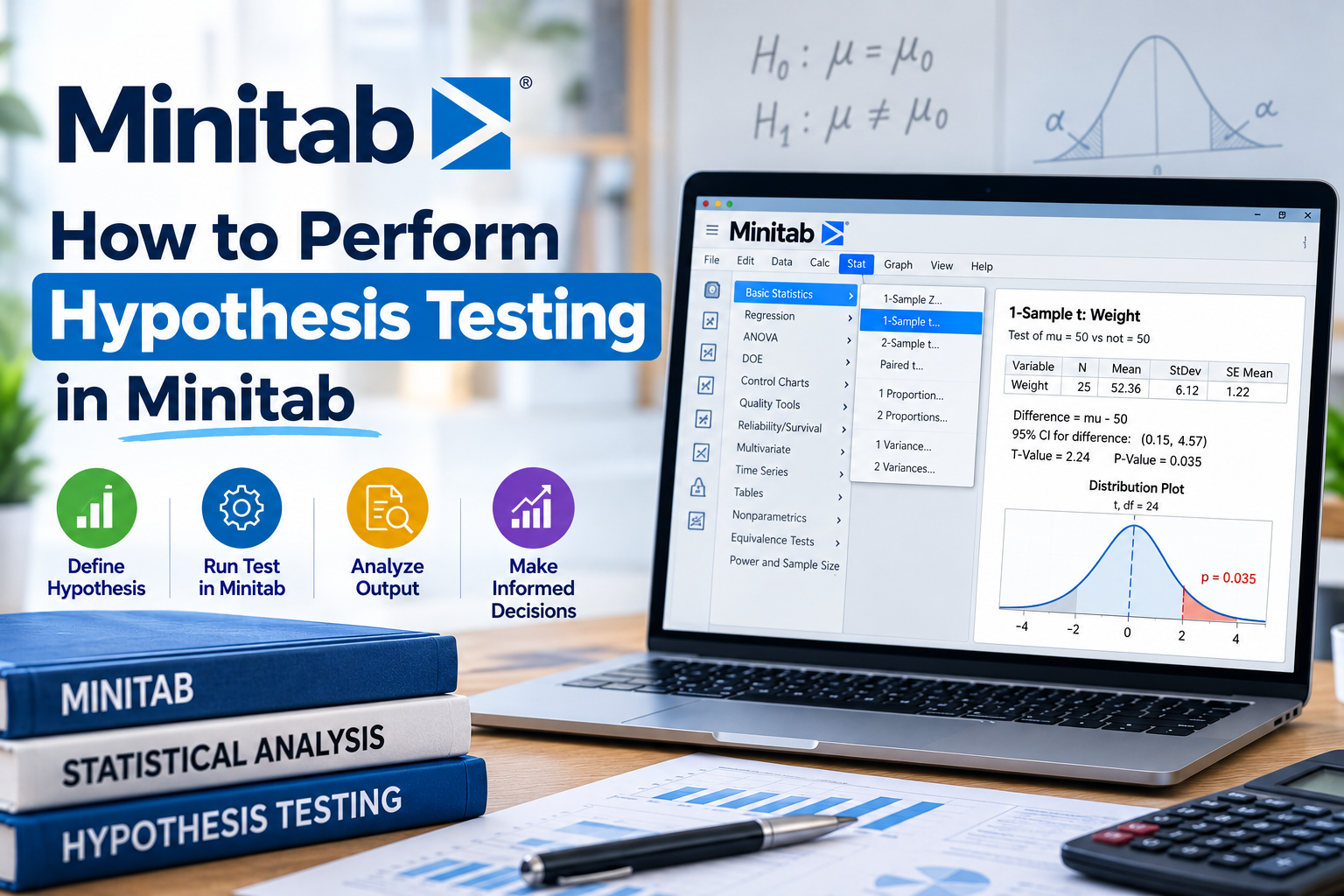

Hypothesis testing is a fundamental aspect of statistics that allows researchers and analysts to make informed decisions based on data. In this blog, we will explore how to perform hypothesis testing in Minitab, a powerful statistical software widely used in industries across India. Whether you are a student, a researcher, or a professional, understanding hypothesis testing in Minitab can significantly enhance your analytical skills.
What is Hypothesis Testing?
Before diving into the practical steps of performing hypothesis testing in Minitab, let’s understand what hypothesis testing is. Hypothesis testing is a statistical method used to determine whether there is enough evidence to reject a null hypothesis. The null hypothesis (H0) represents a default position, while the alternative hypothesis (H1) represents what you aim to prove. The process involves analyzing sample data to make inferences about a population.
Why Use Minitab for Hypothesis Testing?
Minitab is a user-friendly statistical software that simplifies complex calculations and provides robust data analysis tools. Here are a few reasons why Minitab is a preferred choice for hypothesis testing:
Steps to Perform Hypothesis Testing in Minitab
Step 1: Define Your Hypotheses
The first step in hypothesis testing is to clearly define your null and alternative hypotheses. For example, if you are testing whether a new teaching method is more effective than the traditional approach, your hypotheses might be:
Step 2: Collect Data
Collect relevant data that will help you test your hypotheses. This data could come from surveys, experiments, or existing databases. Ensure the data is reliable and representative of the population you are studying.
Step 3: Open Minitab and Enter Your Data
Once you have your data, open Minitab. You can enter your data manually or import it from an Excel file or a database. Organize your data in columns, with each column representing a different variable.
Step 4: Choose the Right Hypothesis Test
Depending on your data and the hypotheses you are testing, you will need to choose the appropriate hypothesis test. Here are some common tests:
Step 5: Conduct the Test in Minitab
To conduct the hypothesis test in Minitab, follow these steps:
Step 6: Interpret the Results
After running the test, Minitab will provide you with output that includes p-values, confidence intervals, and test statistics. Here’s how to interpret the results:
Step 7: Draw Conclusions
Based on the results of your hypothesis test, draw conclusions. If you rejected the null hypothesis, it suggests that there is sufficient evidence to support the alternative hypothesis. If you failed to reject H0, it indicates that there is not enough evidence to support H1.
Common Mistakes to Avoid in Hypothesis Testing
While performing hypothesis testing in Minitab, be aware of these common pitfalls:
FAQs About Hypothesis Testing in Minitab
1. What is the significance level in hypothesis testing?
The significance level (alpha) is the threshold set by the researcher to determine whether to reject the null hypothesis. Commonly, it is set at 0.05.
2. Can I perform hypothesis testing with non-normal data in Minitab?
Yes, Minitab offers non-parametric tests that are suitable for non-normal data. These tests do not assume a specific distribution.
3. How can I visualize my hypothesis testing results in Minitab?
Minitab provides various graphical options, such as boxplots and histograms, to visualize data distributions and test results effectively.
Conclusion
Performing hypothesis testing in Minitab is a valuable skill that can aid in making data-driven decisions. By following the steps outlined in this guide, you can confidently conduct hypothesis tests and interpret their results. Whether you are in academia or industry, mastering this technique will enhance your analytical capabilities.
If you found this guide helpful and want to learn more about data analysis and statistical methods, consider exploring additional resources or enrolling in a course. Remember, practice is key to becoming proficient in hypothesis testing and Minitab!
Call to Action
Ready to take your statistical analysis skills to the next level? Sign up for our online courses on data analysis and Minitab today! Unlock the power of data and become a proficient analyst in no time!